Forum Activity for @tatiana-dokuchic

Tatiana Dokuchic
@tatiana-dokuchic
04 Mar 2016 06:48:55AM
1,926 posts

QH Brag About Your "Firsts" v1


QH Discussions


The first time you do something is oftenquite memorable so here's a spot where we can share our QH Co-op accomplishments.

Given that we're all just starting out there should be many so go ahead and brag a bit!

October 22, 2016: This discussion proved so popular that I'm going to close this version and open a new one !


updated by @tatiana-dokuchic: 11 Aug 2020 03:57:44AM
Tatiana Dokuchic
@tatiana-dokuchic
21 Mar 2016 12:32:10PM
1,926 posts

Blacksmith: The Basics


QH Resources & Guides

Smithing may be considered by some to be difficult but really it's not any harder than cooking a good meal. With some simple ingredients, a basic "plan of attack" and some time, you'll be well on your way to becoming a master of the trade. Here are some basics to help you along.

Smithing can be broken into three essential activities:

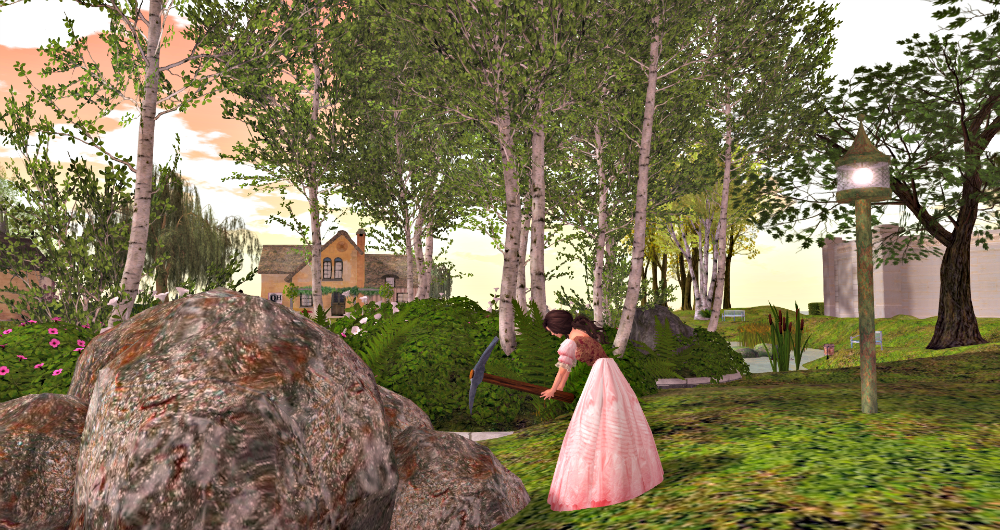
  • Mining - extracting the metal from the mine using a Pickaxe
  • Casting - turning raw metal into metal ingots using the Foundry
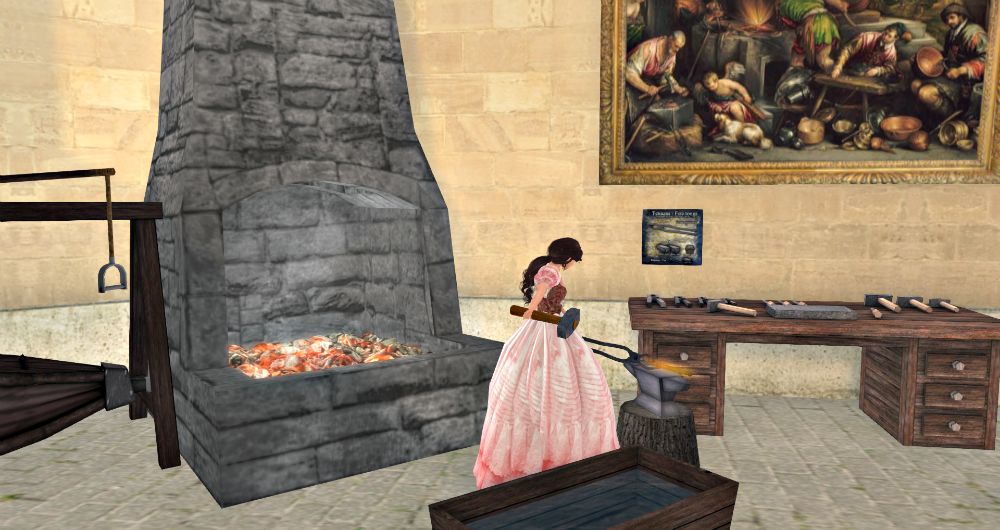
  • Forging - combining metal ingots & other materials into the finished product using the Forge and Hammer & Tongs

MINING

You will find the iron mine here .

To start a session at the mine:

  • "Wear" your pickaxe
  • Right-click the mine and select "Work"
  • Select "Extract Iron" from the pop-up menu

One session at the mine lasts about 8 minutes after which you will be asked to accept a basket of Iron Ore. The number of pieces of ore in a basket is determined by your energy level (higher is definitely better) and the condition of your pickaxe. Your pickaxe will wear down over time and will need to be fixed.

The Iron Mine has a limit of 100 sessions so please try to make every one count by keeping your energy levels up and your pickaxe sharp.

CASTING


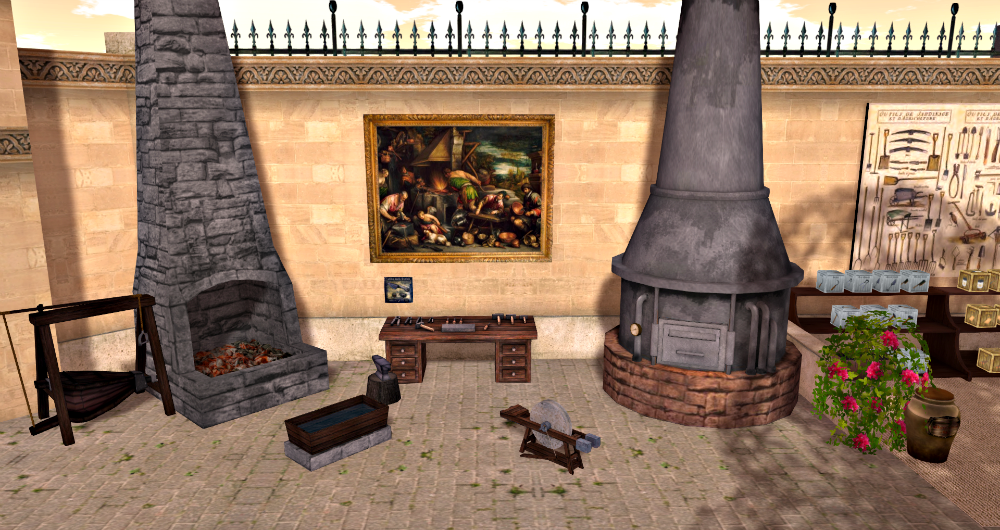
Both the Foundry (on the right) and the Forge (on the left) are found in the Market .

The Foundry will turn your baskets of Iron Ore into Iron Ingots (10 pieces of ore = 1 ingot). This furnace is fueled by Tharlarion's Oil which can be purchased at wholesale prices right next to the Foundry. I found that it's best to cast many batches of ore at one time to save on oil.

To start a session at the Foundry:

  • Rezz a jar of Tharlarion's Oil
  • Rezz all your baskets of Iron Ore (it's best that the total pieces of ore is as close to a multiple of 10 as you can get it otherwise the excess is wasted)
  • Left-click the Foundry and select "Power On" from the pop-up menu
  • The Foundry will load the oil
  • The Foundry will give a new menu
  • Select "Melt"
  • Accept your Ingot
  • Continue to select "Melt" until all of your ore is gone
  • Select "Power Off"

Whew! You should now have a pile of iron ingots in your inventory!

FORGING

Here's the part that's most like cooking (just a tad bit louder). The book of "ingredients' for products is right above the desk. You must feed these materials to the Forge in the correct order to succeed. The Forge also requires Tharlarion's Oil as fuel. Again, it's best to plan ahead to make the best use of your oil supply.

To start a session at the Forge:

  • Rezz a jar of Tharlarion's Oil
  • Rezz your materials (iron ingots, scrape metal, whatever)
  • "Wear" your Hammer
  • "Wear" your Tongs
  • "Sit" on the Forge (or left-click)
  • The Forge will load oil
  • Select materials in the correct order as the pop-up menus appear
  • "Forge" (can't remember if that's the exact command or not but you get the picture)
  • Repeat for the next product

Forging takes a lot of energy so I found that it's best to start out at 100% and have extra meals available to snack on while you're working.

As with the pickaxe, the hammer & tongs also wear out and can then be repaired.

There you have it! You're on your way to providing tools & other lovely items to the Hamlet!

Please see Blacksmith:Apprenticeship Program if you need help getting started.


updated by @tatiana-dokuchic: 20 Oct 2016 10:11:31AM
Tatiana Dokuchic
@tatiana-dokuchic
30 Mar 2016 08:47:26AM
1,926 posts

Blacksmith: Apprenticeship Program


QH Resources & Guides

Excellent! I'll pass on the starter set of tools to you inworld. There is some Thalarion oil in the market right now and I can get morewhen needed.

I'll keep a waiting list for when the next set of tools is ready :)

Tatiana Dokuchic
@tatiana-dokuchic
07 Apr 2016 09:39:42AM
1,926 posts

Blacksmith: Apprenticeship Program


QH Resources & Guides

Fantastic!! Congratulations :)

Tatiana Dokuchic
@tatiana-dokuchic
21 Mar 2016 01:32:53PM
1,926 posts

Blacksmith: Apprenticeship Program


QH Resources & Guides

You've read Blacksmith: The Basics and want to get started but you can't afford/find all the tools necessary. This Apprenticeship Program may help you out.

In an effort to promote smithing throughout the Hamlet, the Queen has founded an Apprenticeship Program as follows:

You will be provided with:

  • One new Pickaxe
  • One new Hammer
  • One new set of Tongs

You must:

  • Purchase your ownjar of Tharlarion's Oil (which is sold at cost in the Market)
  • Mine 100 pieces of iron ore
  • Using the Foundry turn 100 pieces of iron ore into 10 iron ingots
  • Using the Forge turn 1 iron ingot into Scrap Metal
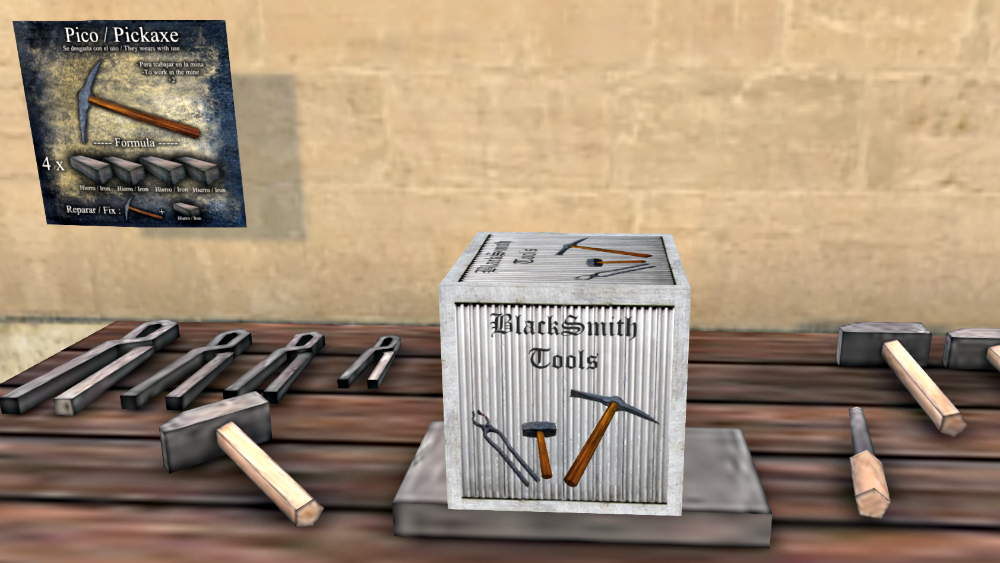
  • Using the Forge turn 3 iron ingots into a Hammer
  • Using the Forge turn 4 iron ingots into a Pickaxe
  • Using the Forge turn 2 iron ingots + 1 Scrap Metal into Tongs

Your Apprenticeship is considered complete when you have delivered the new Hammer, Pickaxe and Tongs to the Estate Manager (for the next Apprentice to use).

Congratulations, you are now a full-fledged Blacksmith and have helped to make another apprentices' dreams come true by providing them with their own tools.

Right now we have a very limited set of tools so we will start an apprenticeship waiting list should the need occur. Contact Tatiana for further details.


updated by @tatiana-dokuchic: 20 Oct 2016 10:11:20AM
Tatiana Dokuchic
@tatiana-dokuchic
10 Mar 2016 04:59:00PM
1,926 posts

Becoming a Merchant: The Art of Pricing


QH Resources & Guides

It really is fascinating to study. One bonus of using G&S is that the larger community is very mature, i.e. they've been around for 8? years now, so it gives us an idea of where we're heading if we're successful.

I wanted people to understand the thinking behind the Manger setting some prices which seemso out of range right now while others are more reasonable.

And yes, the bait is insanely low in price. I'll have to pick some up for myself.

Tatiana Dokuchic
@tatiana-dokuchic
04 Apr 2016 12:16:11PM
1,926 posts

Becoming a Merchant: The Art of Pricing


QH Resources & Guides

If you don't want to be bothered selling it yourself, the Co-op may buy it from you at wholesale prices. We're trying to fill up the boxes already out so if you see some that are empty there's a good chance the Co-op will purchase it. Check with Tatiana before just to make sure there's enough funds for the sale.

If you want to sell meals yourself, yes you put it in the appropriatevendor (see Becoming a Merchant: Setting up Vendors ). The vendor scripts send you a message when something has been purchased. You can also look at the "Units Available" to see how many remain in the vendor.

I hope this helps to answer your question. What else are you trying to keep track of?

Tatiana Dokuchic
@tatiana-dokuchic
09 Mar 2016 08:04:26AM
1,926 posts

Becoming a Merchant: The Art of Pricing


QH Resources & Guides

Some thoughts on the "Art of Pricing" for our particular situation.

One of the hardest aspects of becoming a merchant can be devising and then maintaining a "profitable" pricing strategy. It's an art, long studied and difficult to master. With the QH Co-op the intention is to profit in a number of ways including having fun & interacting. Slaying the "competition" and/or hoarding Coins will definitely be detrimental to this goal. We want to keep the economy growing and the money circulating.

I have a few thoughts on how to accomplish this and we'll just have to see how they pan out.

RETAIL PRICING

In most cases, the Estate Manager will be setting the retail price of Co-op items fairly high. I've been scoping out the current pricing from one of the largest G&S markets and intend to use those as a base.

The intention here is to allow regular merchants some breathing room where they can set their prices lower (how low is another discussion & ultimately up to the merchant) and therefore attract interested buyers first.

Co-op items sold by the Estate Manager may also be made available for L$. This would benefit someone new coming into the community who has no intention of farming. A chef, for example, could still buy all the ingredients needed to prepare a meal.

Some exceptions to "higher pricing" are necessary at this stage of the game the best example being the sale of Fish. Their price is currently rock bottom compared to the world at large but it does help our poor pioneers gain energy as they wait for their first harvest. It will be interesting to see if fish prices should eventually be raised as the community matures.

Another exception will probably be the sale of grain. Right now farmers can sell grain to the Grain Merchant for around 30c and buy grain for around 40c. It may be more strategic for the Co-op to sell at least some of our own grain back to the community for 30c. This will allow us to keep our hard earned harvests in circulation but requires a Wholesale Pricing strategy.

WHOLESALE PRICING

Once the Co-op has accumulated enough coins (we're not there quite yet), the Estate Manager may offer to buy items at wholesale prices directly from the producer (farmer, artisan, etc.). This will allow producers who are not interested in selling to the public an income. It should also keep the economy moving. It's a theory ... let's see how it eventually flies ;)

Questions? Comments? I really should have paid more attention in that one Economics course. It would have come in really handy now!


updated by @tatiana-dokuchic: 20 Oct 2016 10:00:51AM
Tatiana Dokuchic
@tatiana-dokuchic
09 Mar 2016 06:02:01AM
1,926 posts

QH Becoming a Merchant: Setting up Vendors


QH Resources & Guides


Your first harvest is in and you're ready to start selling your produce/products for the first time. Here's how you set up a vendor.

Pick up your Vendor Information  from the Vendor Sign  at the Market .

Vendor Information includes Instructions and two example vendors:

  • QH Co-op Vendor "Coins" EXAMPLE
  • QH Co-op Vendor "Coins & L$" EXAMPLE

A QH Co-op Vendor consists of main two parts:

  • The container that holds both the items to be sold and the scripts.
  • The scripts that handle the transaction

The container can be plain or fancy but you must be able to modify it.

Though they look different they both of these vendors perform the same function.
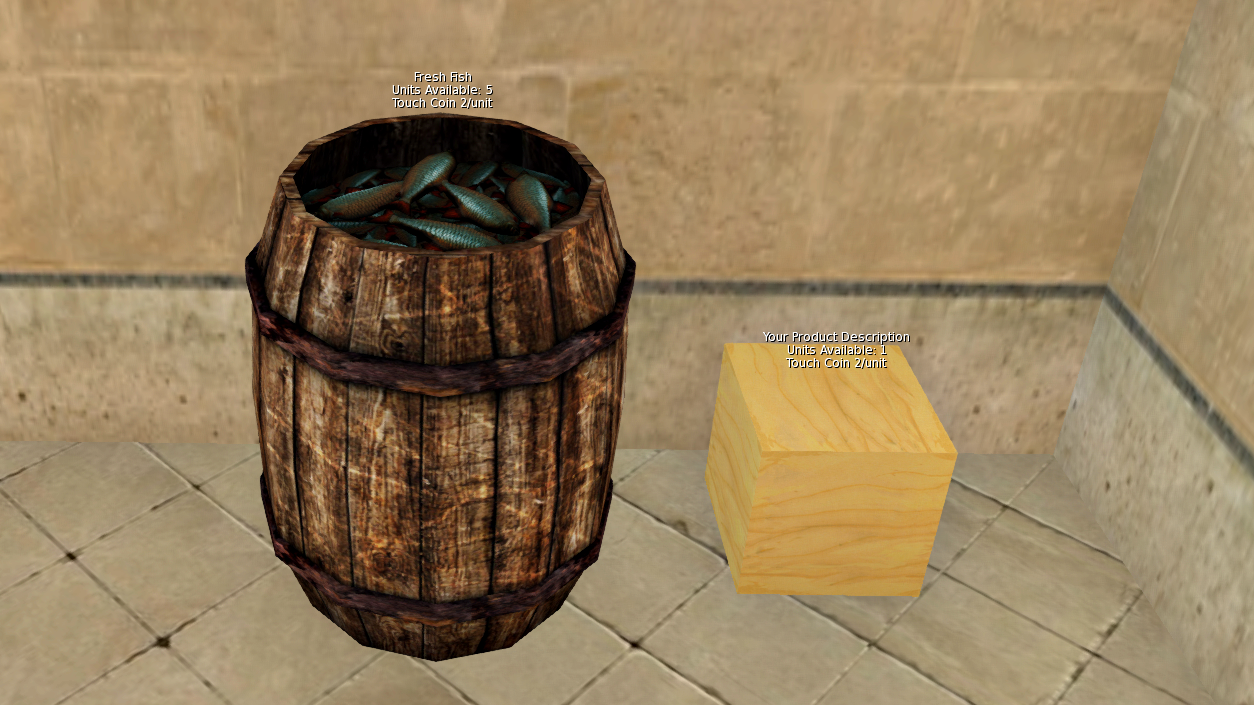
715_discussions.png?width=750

FANCY CONTAINERS:


It's always fun to dress up your containers and you may want to customize your own.

Another alternative is to purchase "ready made" storage crates. These are being sold in the Market via an affiliate vendor with 20% of the sale price reverting back to our Estate Manager.
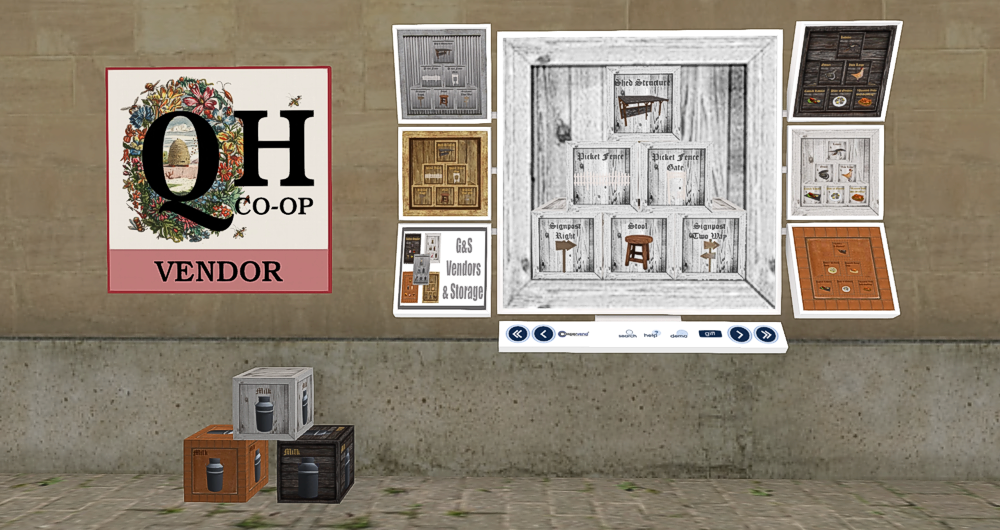
716_discussions.png?width=750

The choice is yours on the type of the container you wish to use but remember that you may be limited by LI costs i.e. each Co-op Member currently has a total LI allowance of 10.

I'm going for a practical mix of containers. Some really fancy, like the barrel of fish and some not so much. I'm even going to break down and buy a few of those storage crates as I figure the time I save not having to create them is well worth the price.

Modifying the Scripts

Each container must contain the script:

  • API Coins (RP-HUD [G&S]) version 1.3

Each container must also contain ONLY ONE of the following:

  • G&S Vendor Script: Coin [QH CO-OP]
  • G&S Vendor Script: Coin & L$ [QH CO-OP]

Pick and modify your script accordingly.

COINS:

You will have to make some simple modifications to G&S Vendor Script: Coin [QH CO-OP].

Change Line 6:  integer PVP = 2;  To the price of the item.

Change Line 26: llSetText ("Your Product Description"  To the name &/or description of the item.  Make sure to leave the quotes there.

COINS & L$:

You will have to make some simple modifications to G&S Vendor Script: Coin & L$ [QH CO-OP].

Change Line 4:  string PN = "Product"  ~  To the name of your item.  Make sure to leave the quotes there.

Change Line 8:  integer PVP = 100  ~  To the price of the item in coins.

Change Line 12:  integer PL = 1  ~  To the price of the item in L$.

Hope this is enough information to get you started.

Happy selling!


updated by @tatiana-dokuchic: 27 Oct 2016 06:40:29AM

  69